


How To Do A NOL Card Balance Check Online Or Offline In Dubai
How to Check NOL Card Balance Online or Offline in Dubai (2026 Guide)
The NOL card is one of the most important tools for daily travel in Dubai. It is used across the Metro, buses, trams, and even for parking payments. Without it, commuting in the city becomes difficult and time-consuming.
However, many commuters face a common problem: they forget to check their balance and run out of credit at the wrong moment. This can lead to delays, missed rides, and unnecessary stress.
That is why knowing how to perform a NOL card balance check is essential for anyone living in or visiting Dubai.
The Roads and Transport Authority (RTA) has made this process simple by offering multiple online and offline methods.
In this guide, you will learn every reliable way to check your NOL card balance, along with practical tips to manage your travel credit efficiently.
Table of Contents
- What is a NOL Card?
- Why Checking NOL Balance is Important
- Online Methods to Check NOL Balance
- Offline Methods to Check NOL Balance
- SMS Balance Check Method
- RTA Mobile App Method
- Metro Machine Balance Check
- Transaction History Check
- Balance Transfer Rules
- Comparison Table
- Tips to Manage Your NOL Card
- Conclusion
- FAQs
What is a NOL Card?

A NOL card is a smart transport payment card issued by the Roads and Transport Authority (RTA) in Dubai. It allows cashless travel across multiple transport systems.
Key Uses of a NOL Card:
- Used for Dubai Metro travel across all lines, including Red and Green routes
- Accepted on public buses across Dubai and intercity routes
- Used for Dubai Tram system in areas like Marina and JBR
- Enables payment for RTA parking meters across the city
- Can be used for selected retail stores and convenience payments
The card is designed to make transportation seamless, eliminating the need for cash or multiple tickets.
Why Checking NOL Card Balance is Important
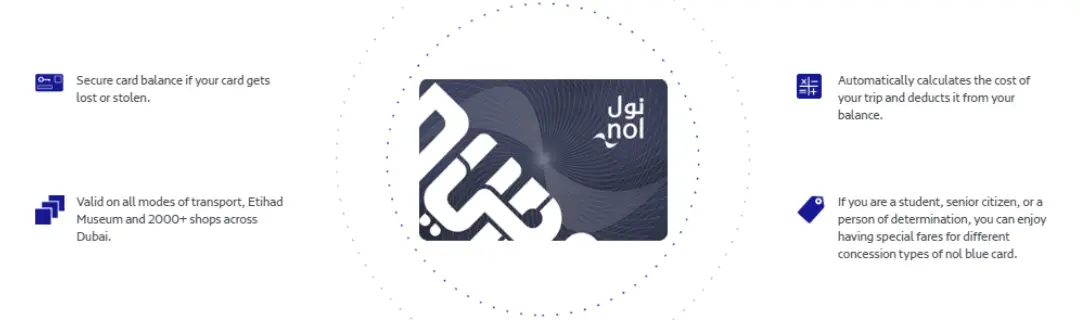
Regular balance checking is not just helpful—it is necessary for smooth daily commuting in Dubai.
Key Benefits Explained:
- It prevents unexpected travel interruptions at metro gates or bus stations by ensuring you always have enough credit before entering a journey.
- It helps you manage monthly transportation expenses by tracking how much you spend daily, weekly, or monthly on travel.
- It allows you to avoid peak-hour inconvenience when recharge queues at metro stations are long and crowded.
- It ensures smooth switching between transport modes like metro, bus, and tram without delays or rejections.
- It gives you better control over budgeting, especially for students, tourists, and daily office commuters who rely on public transport.
Online Methods to Check NOL Card Balance
1. RTA Website Balance Check (Official Method)
The RTA website is the most reliable and official platform for checking your NOL card balance.
How to Use It (Step-by-Step):
- Visit the official RTA Dubai website and navigate to the public transport services section where NOL services are listed.
- Select the option labeled “Check NOL Balance” to proceed to the balance inquiry page.
- Enter your 10 or 14-digit NOL Tag ID, which is printed on the back of your card.
- Complete the verification process and click on “Search” to retrieve your details instantly.
What You Will See:
- Your current available balance, which shows how much credit you can still use for travel.
- Card expiry details, helping you know when your card needs renewal or replacement.
- Pending balance updates that activate after tapping your card at metro gates or top-up machines.
Why This Method is Useful:
- It is the most secure and official method directly managed by RTA
- It provides complete information including balance, expiry, and pending credits
- It works 24/7 from any device with internet access
2. RTA Mobile App Balance Check
The RTA Dubai App is a modern and convenient way to manage your transport card digitally.
Steps to Follow:
- Download the official RTA Dubai App from the App Store or Google Play
- Create an account or log in using your personal details and NOL card ID
- Navigate to “My Account” section within the app
- Select “NOL Card Balance” to view your current available credit
Key Features and Benefits:
- Provides real-time balance updates that reflect every transaction instantly
- Displays full travel history including metro rides, bus trips, and fare deductions
- Allows management of multiple NOL cards under a single account
- Sends automatic low-balance alerts to prevent travel disruptions
- Offers additional services like ticket booking and route planning within the same app
Offline Methods to Check NOL Balance
3. Metro Station Ticket Machines
Metro stations across Dubai provide self-service machines for instant balance checking.
How It Works:
- Visit any Dubai Metro station and locate a ticket vending machine
- Place your NOL card on the designated reader area
- Wait a few seconds for the system to scan your card
- Your current balance appears immediately on the screen
Why People Use It:
- It provides instant results without needing internet access
- It is available at every metro station across Dubai
- It allows you to top up your card immediately if the balance is low
- It supports multiple languages for tourists and non-residents
4. Retail Outlets and Customer Centers
Authorized RTA service centers and retail outlets also support NOL card services.
What You Can Do Here:
- Check your current NOL card balance through staff assistance or scanning machines
- Recharge your card instantly using cash or card payments
- Resolve issues like expired cards or blocked accounts
- Get printed receipts for travel or expense tracking purposes
Why It’s Useful:
- Ideal for users who are not comfortable using mobile apps
- Helpful for tourists without internet access or local SIM cards
- Provides human assistance for troubleshooting issues
SMS Method for NOL Card Balance Check
This method is ideal for users without internet access.
Steps:
- Open your phone’s messaging app
- Type your 14-digit NOL Tag ID
- Send it to 511
- Receive your balance details via SMS reply
Key Advantages:
- Works without internet connection, making it accessible anywhere
- Extremely fast response time, usually within seconds
- Simple format suitable for all age groups including seniors
- Useful during emergencies when other methods are unavailable
Check NOL Card Transaction History
Transaction history helps you understand how your balance is being used.
How to Check:
- Visit the RTA official website
- Enter your NOL Tag ID in the transaction history section
- Complete verification steps
- View full travel and recharge history
What You Can Track:
- Exact time and location of each metro or bus trip
- Fare deducted per journey for better expense control
- Recharge history including date, time, and amount
- Usage trends over days, weeks, or months for budgeting
Can You Transfer NOL Card Balance?
Currently, RTA does not allow balance transfers between NOL cards.
Important Details:
- Each card operates independently with its own stored balance
- Funds cannot be moved or shared between cards
- You must top up each card separately when needed
- Future updates may introduce new features, but none are available yet
Comparison of All NOL Balance Check Methods
| Method | Internet Needed | Features | Speed |
| RTA Website | Yes | Full details (balance, expiry, history) | Fast |
| Mobile App | Yes | Full account management | Very Fast |
| SMS | No | Basic balance only | Fast |
| Metro Machines | No | Balance + instant top-up | Instant |
| Retail Centers | No | Full assistance + recharge | Medium |
Tips to Manage Your NOL Card Efficiently
1. Always Maintain Buffer Balance
Keep extra credit to avoid last-minute travel interruptions during peak hours.
2. Use App Alerts
Enable notifications in the RTA app to track low balance warnings automatically.
3. Check Weekly Usage
Review your transaction history regularly to understand your travel spending habits.
4. Recharge Before Peak Hours
Avoid long queues at metro stations by topping up during off-peak hours.
5. Use One Primary Card
Using a single card consistently helps maintain better tracking of expenses.
Conclusion
Performing a regular NOL card balance check is essential for smooth travel across Dubai’s advanced public transport system. Whether you prefer digital methods like the RTA website and mobile app or offline methods like metro machines and SMS, the process is designed to be simple and accessible for everyone.
By staying informed about your balance, you can avoid travel interruptions, manage your budget better, and enjoy a stress-free commuting experience.
FAQs
How can I check my NOL card balance online?
You can check it using the official RTA website or the RTA Dubai mobile app by entering your NOL Tag ID.
Can I check my NOL balance without internet?
Yes, you can use SMS (send ID to 511), metro machines, or retail outlets.
How do I check my transaction history?
Use the RTA website and select “Transaction History” under your card details.
Can I transfer NOL card balance to another card?
No, balance transfer between NOL cards is not currently supported.
What happens if my balance is low?
You may be unable to enter metro gates or board buses until you recharge your card.
Key Takeaways
- NOL card is essential for Dubai public transport
- Multiple online and offline balance check methods exist
- RTA app and website offer full control and tracking
- SMS and metro machines provide quick offline access
- Regular balance checks ensure uninterrupted travel


